Working with the Macro Builder
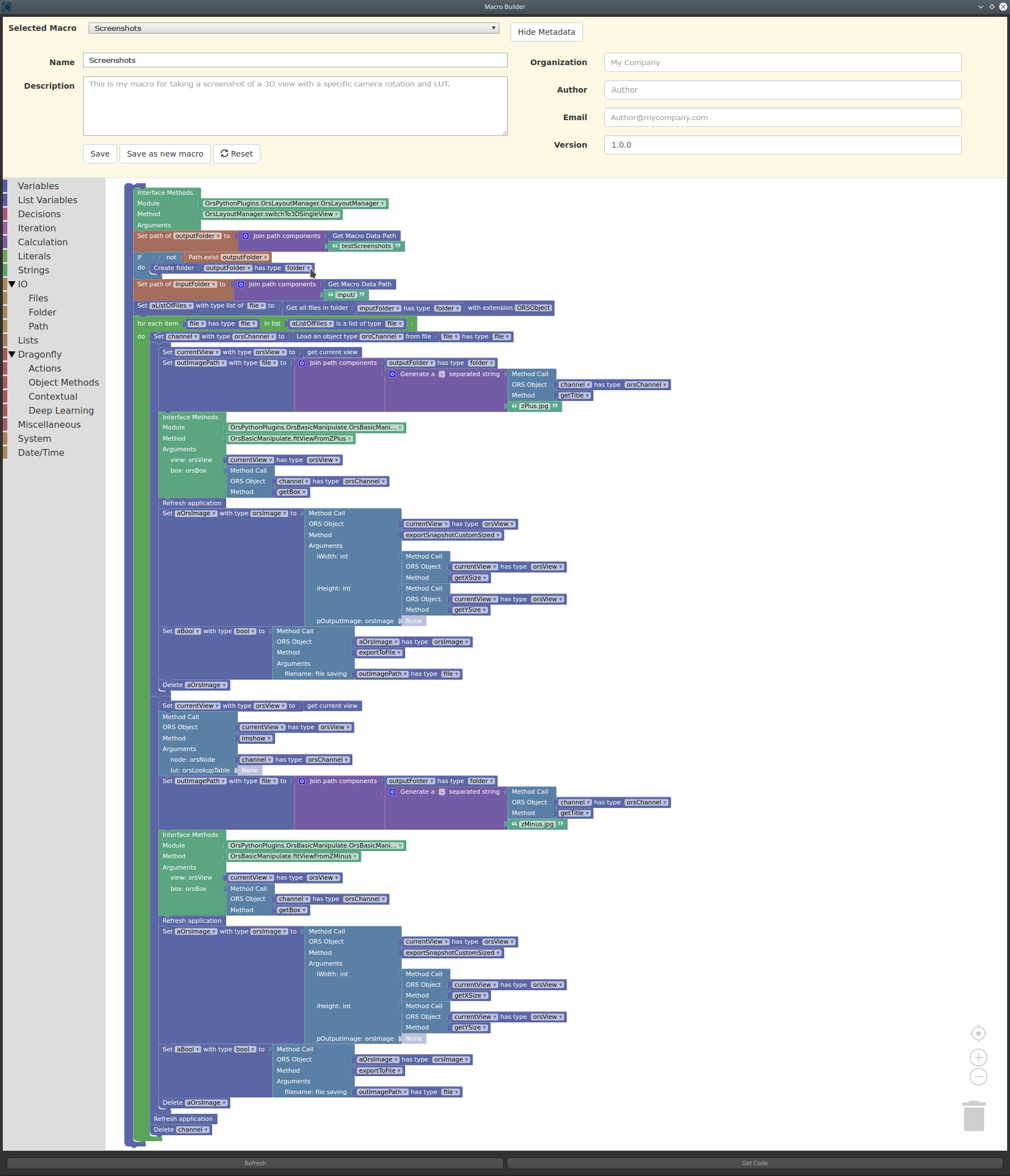
Dragonfly's Macro Builder provides an intuitive, visual way to build and edit complex macros or to combine multiple macros for batching. Based on Google’s Blockly, which uses interlocking, graphical blocks to represent code concepts like variables, logical expressions, iterations, and more, the Macro Builder lets you apply programming principles without having to worry about syntax or the intimidation of a blinking cursor on the command line.
Dragonfly Macro Builder
The following videos provide an introduction to working with the Macro Builder and how to build macros to automate workflows. Other videos about macros are available in the topic Videos About Macros.
 Workflow Automation with Macros: Macro Builder
The video below provides an introduction to automating workflows with macros and using the Macro Builder.
Workflow Automation with Macros: Macro Builder (35:58)
You can also view this video and others in the In-Depth Lessons section on our website (https://www.theobjects.com/dragonfly/learn-recorded-webinars.html).
Building Macros to Make Movies: Macro Builder
The video below provides a tutorial for using the Macro Builder to automate movie making.
Building Macros to Make Movies: Macro Builder (12:41)
You can also view this video and others in the Dragonfly Tutorials section on our website (https://www.theobjects.com/dragonfly/tutorials.html).
Building Macros to Take 3D Screenshots: Macro Builder
The video below provides a tutorial for using the Macro Builder to automate taking 3D screenshots.
Building Macros to Take 3D Screenshots: Macro Builder (09:05)
You can also view this video and others in the Dragonfly Tutorials section on our website (https://www.theobjects.com/dragonfly/tutorials.html).
Buildling Macros to Apply Filters: Macro Builder
The video below provides a tutorial for using the Macro Builder to automate image filtering.
Building Macros to Apply Filters: Macro Builder (09:58)
You can also view this video and others in the Dragonfly Tutorials section on our website (https://www.theobjects.com/dragonfly/tutorials.html).


